Cloud spreadsheet · No license fees

The spreadsheet you know.
Without the license bill.

Worksheets is a full spreadsheet that runs in your browser. It has the formulas, charts, tables and keyboard shortcuts your team already uses. Open your .xlsx files, edit together in real time, and work from your desk, a tablet or your phone.

  • No credit card
  • Nothing to install
  • Opens your Excel files
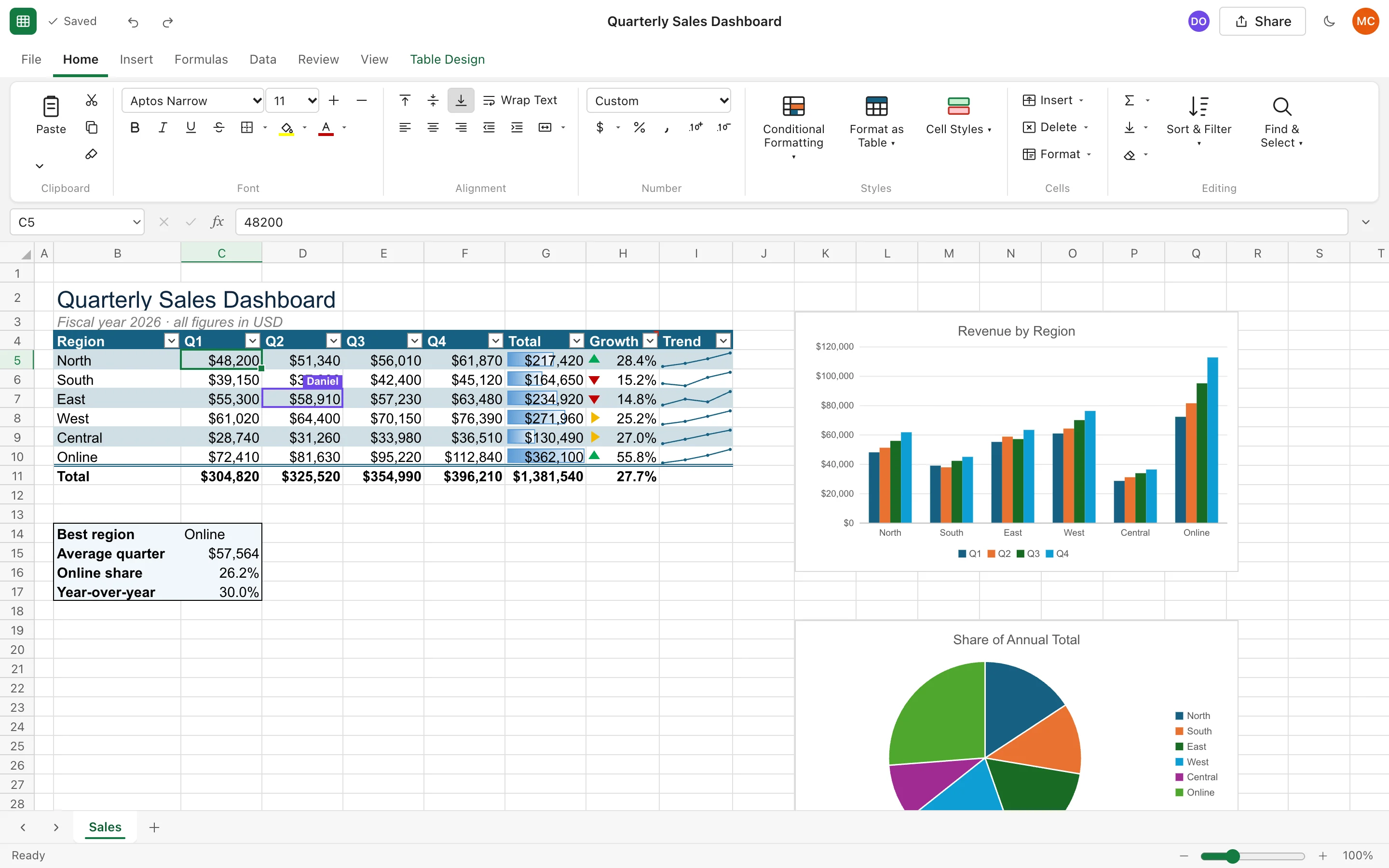
Worksheets showing a quarterly sales dashboard with a formatted table, data bars, icon sets, sparklines, a column chart and a pie chart. A collaborator named Daniel has a cell selected.

Real screenshot. Daniel's purple cursor shows a teammate editing the same workbook at the same moment.

323worksheet functions
Liveco-editing with your team
.xlsx · .csvimport and export
$0per-seat license fees

Features

Everything you open a spreadsheet for

Worksheets isn't a stripped-down viewer. It's a real spreadsheet engine with a familiar ribbon, so nobody on your team has to relearn anything.

Formulas you already know

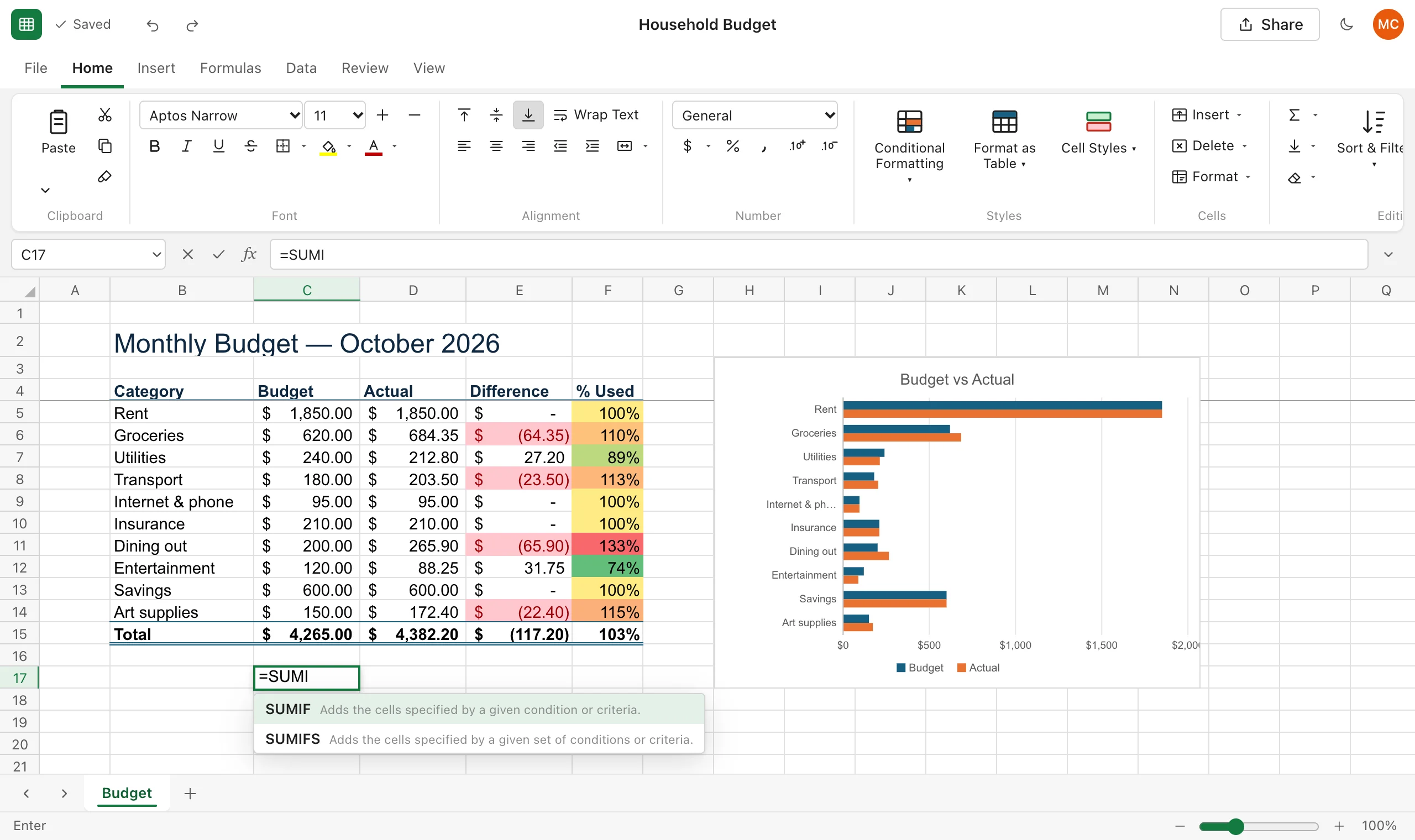
Type = and Worksheets suggests functions as you type and shows each argument as you go. Click cells to point at them, just like you're used to.

  • 323 functions, including XLOOKUP, SUMIFS, FILTER, SORT, UNIQUE, LET and LAMBDA
  • Dynamic arrays that spill, with clear #SPILL! warnings
  • Cross-sheet references, named ranges and structured table references
  • Financial, date, text, statistical and lookup functions
Typing =SUMI in a cell opens suggestions for SUMIF and SUMIFS with short descriptions.

Edit together, live

Share a workbook with a teammate and you'll both see changes the moment they happen. Everyone's selection appears in their own colour, so you never type over each other.

  • Share as viewer or editor; only people you invite can open it
  • See who's in the workbook and where they're working
  • Autosave a moment after every change. No "Save" button to forget.
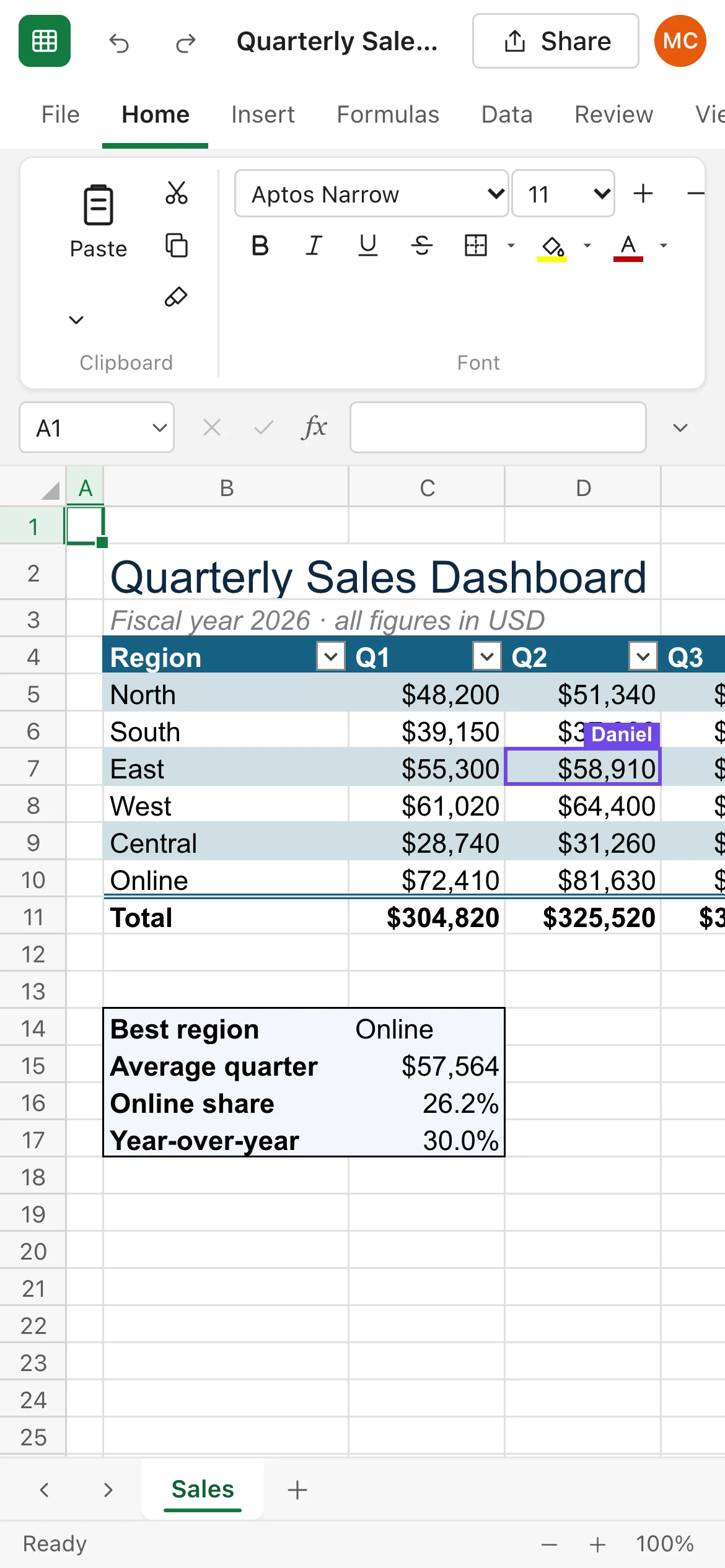
A shared sales dashboard where a collaborator's highlighted cell is labelled Daniel.

Never lose a version

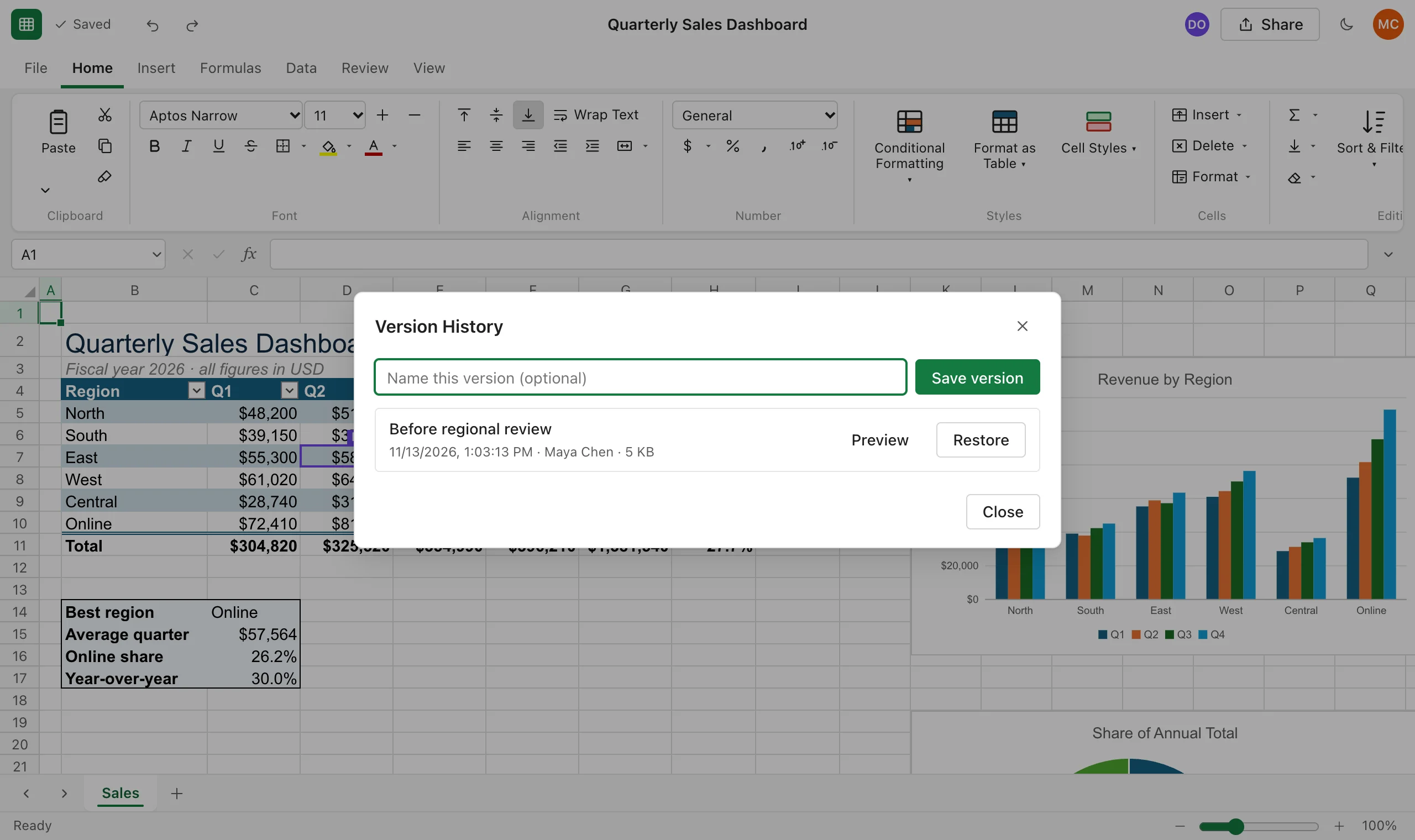
Worksheets saves snapshots automatically while you work. Name the important ones, preview any of them, and restore with a click when something goes wrong.

  • Automatic version snapshots while you edit
  • Named versions for month-end, sign-off or "before the big change"
  • Undo and redo for every action, including inserts, sorts and formatting
The Version History dialog listing a named version, Before regional review, with Preview and Restore buttons.

Bring your Excel files with you

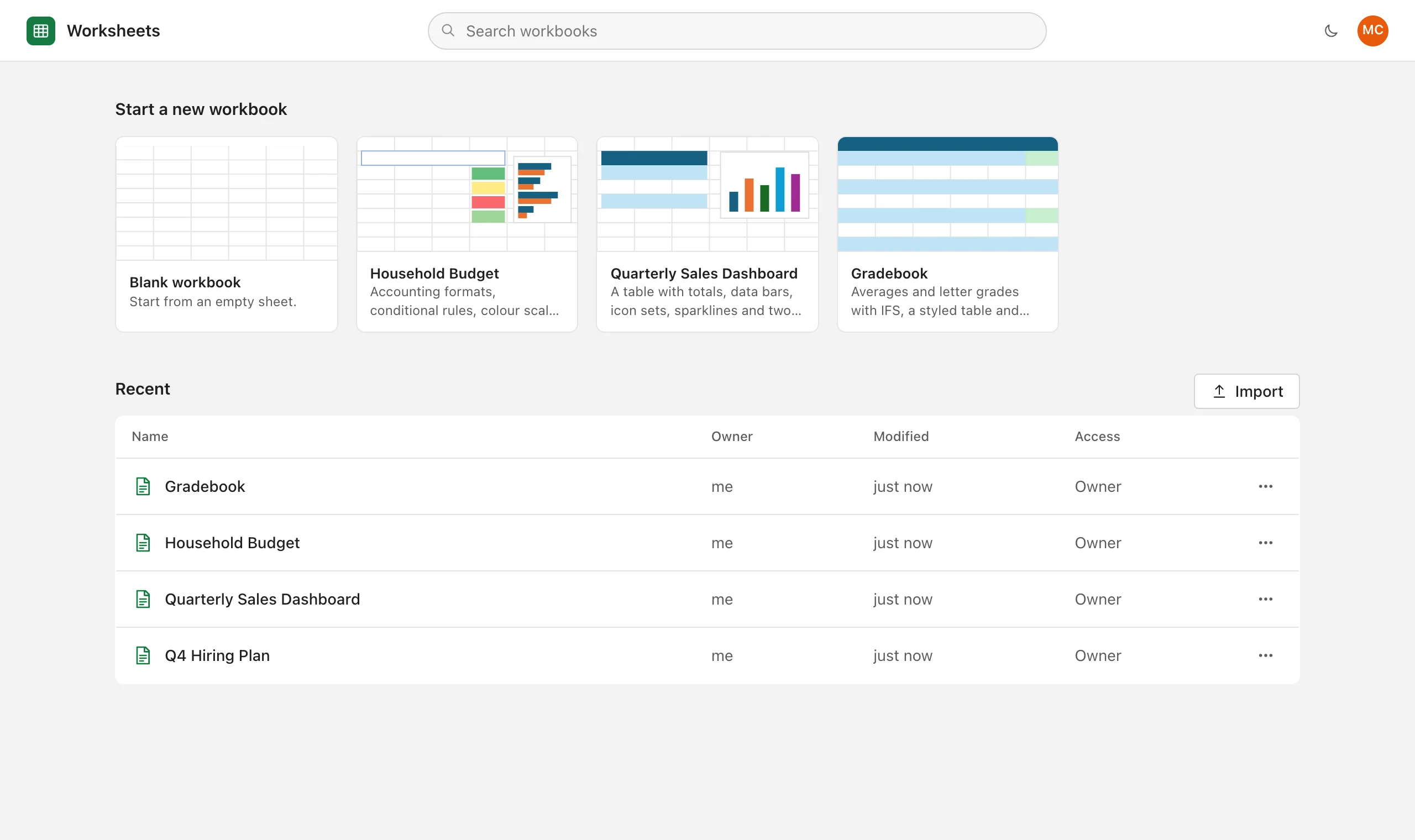
Drag an .xlsx or .csv onto your workbook list and keep working. When you need to send a file to someone outside, export it back to Excel in one click.

  • Import .xlsx, .xlsm, .csv and .tsv
  • Export .xlsx, .csv, .tsv or JSON
  • Templates for budgets, sales dashboards and gradebooks
The Worksheets start page with templates for a blank workbook, household budget, sales dashboard and gradebook, plus a list of recent workbooks and an Import button.

Looks good, day or night

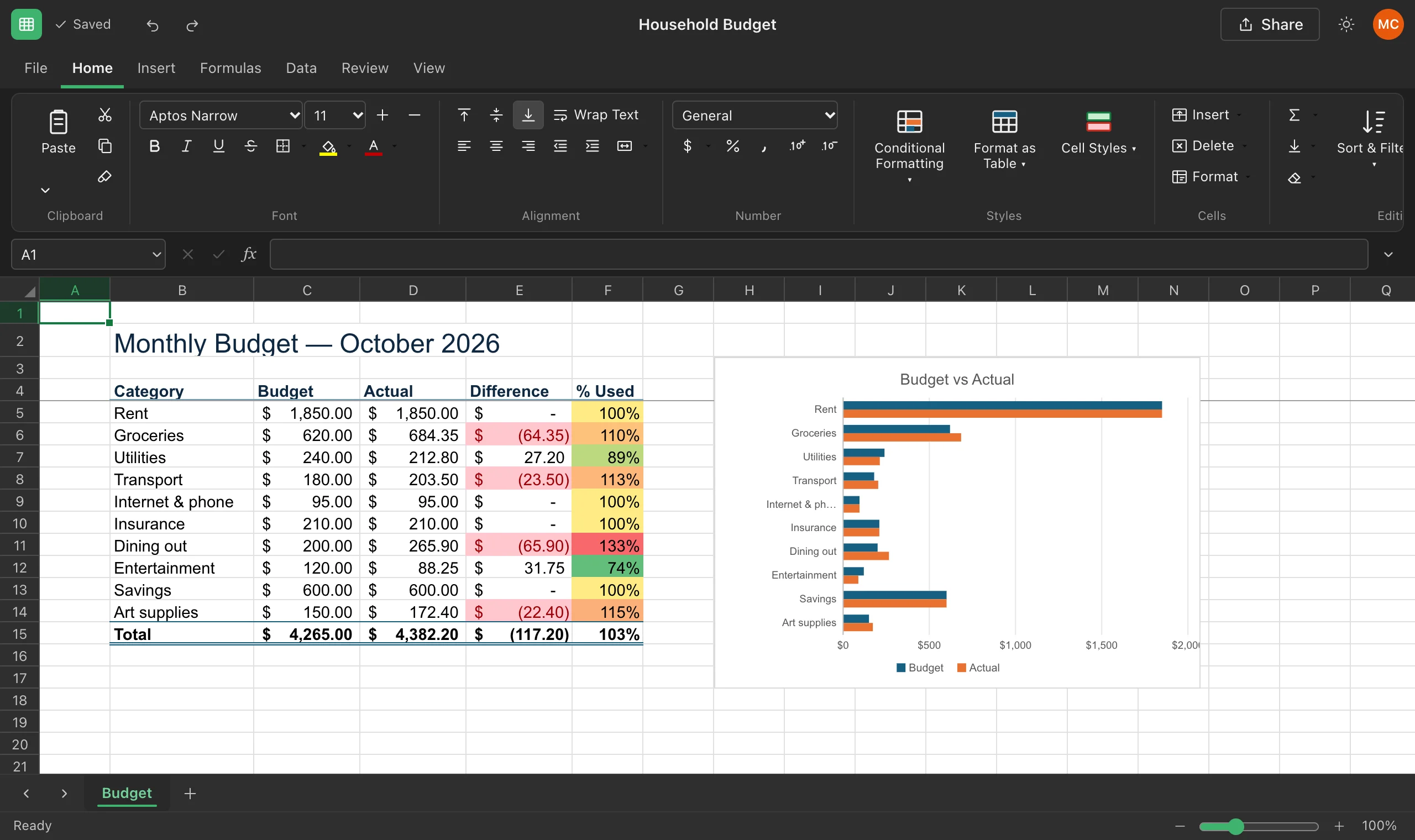
Charts, conditional formatting, colour scales, data bars, icon sets and sparklines make your numbers easy to read. Dark mode keeps it easy on your eyes late in the day.

  • Column, bar, line, area, pie and scatter charts
  • Conditional formatting rules, colour scales and data bars
  • Accounting, currency, percentage, date and custom number formats
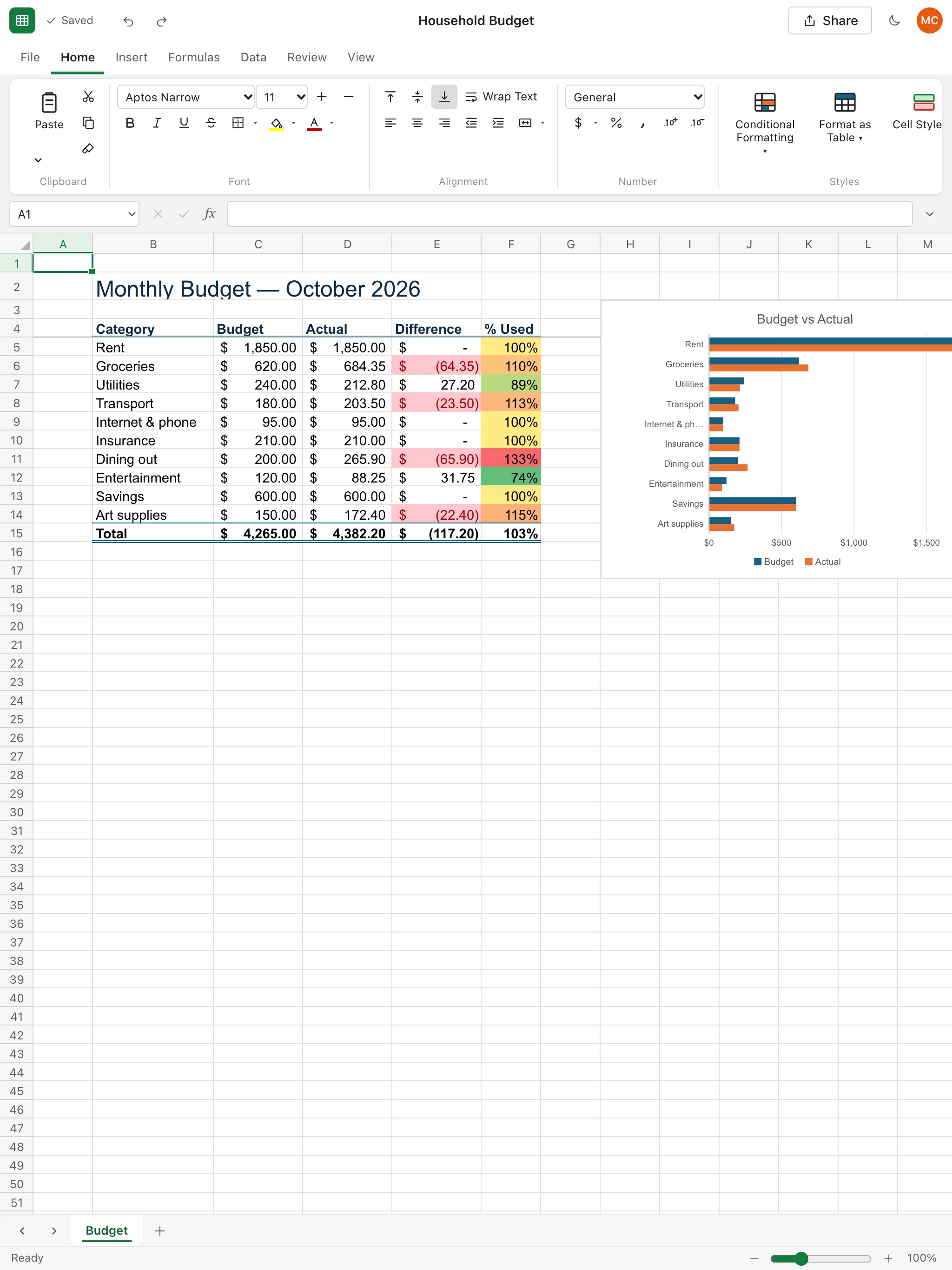
A household budget in dark mode with accounting formats, a colour scale on the percent-used column and a Budget versus Actual bar chart.

Any device · On the go

Your workbooks go where you go

There's nothing to install and no license tied to one machine. Sign in from any modern browser on Windows, Mac, Linux, Chromebook, iPad, iPhone or Android, and pick up exactly where you left off.

  • Check the numbers on your phone between meetings
  • Review a report on a tablet on the train
  • Do the heavy lifting on a laptop or desktop
  • Every device sees the same live copy, so there's no "which version is latest?"
Try it on this device
Worksheets on a tablet showing the household budget with a bar chart.
Worksheets on a phone showing the sales dashboard, with a collaborator's cursor labelled Daniel.

Savings

Stop renting your spreadsheet

Per-seat licenses add up quietly: every new hire, every contractor, every renewal. Enter what you pay today and see what it costs your business each year.

Use the per-user price on your current invoice. The default is only an example.

Your license spend$11,250
Worksheets license fees$0
You keep$11,250over 3 years

Compare

Why teams switch to Worksheets

WorksheetsTypical licensed desktop spreadsheet
License feesNonePaid per user, renewed every year
InstallationNone, it runs in your browserInstalled and updated on each computer
Phone and tabletSame workbook, live in the browserSeparate apps, often with limited editing
Editing togetherReal time, with everyone's cursor visibleVaries; often emailing files back and forth
SavingAutomatic, with version historyManual saves and file copies
Excel filesImport and export .xlsxNative

Trust

Your numbers, kept safe

Private by default

Only the people you share a workbook with can open it. Passwords are stored as bcrypt hashes, never as plain text.

Your data stays yours

We never sell your data, and we don't use your workbooks to train AI models. Read the Privacy Policy.

No lock-in

Export any workbook to .xlsx, .csv, .tsv or JSON whenever you like. Your files leave with you.

FAQ

Questions, answered

Is Worksheets really free?

Yes. Creating an account and using Worksheets costs nothing today, and we don't ask for a credit card. If we ever introduce paid plans, we'll give you at least 30 days' notice, and nothing will be charged unless you choose a paid plan.

Can I open my existing Excel files?

Yes. Import .xlsx, .xlsm, .csv or .tsv files, and export back to .xlsx at any time. Values, formulas, number formats, fonts, fills, borders, merged cells and column widths come across. Charts, tables, sparklines and conditional formatting work inside Worksheets but aren't carried in .xlsx files yet, and the importer tells you if anything was left out.

Does it work on my phone or tablet?

Yes. Worksheets runs in any modern browser, including Safari and Chrome on iPhone, iPad and Android. Tap a cell to select it and start typing to edit. A larger screen is still more comfortable for heavy formatting work.

Can I work offline?

Worksheets needs an internet connection, because every change is saved to the cloud and shared with your collaborators as you make it.

Who can see my workbooks?

Only you, plus anyone you explicitly share a workbook with as a viewer or editor. You can remove access at any time from the Share dialog.

What doesn't Worksheets do yet?

Pivot tables, macros (VBA), PDF export, inserted pictures and shapes, and what-if analysis aren't available yet. If your team relies on one of these daily, keep a desktop license for those few people and move everyone else to Worksheets.

Open your first workbook in under a minute

Free account. Nothing to install. Works on the device you're holding right now.

Get started free